Tailscale or WireGuard mesh
Put the host and your client devices in one private tailnet, then open MidTerm through the machine’s private address. Restrict access with grants or ACLs.
ARCHITECTURE / 01
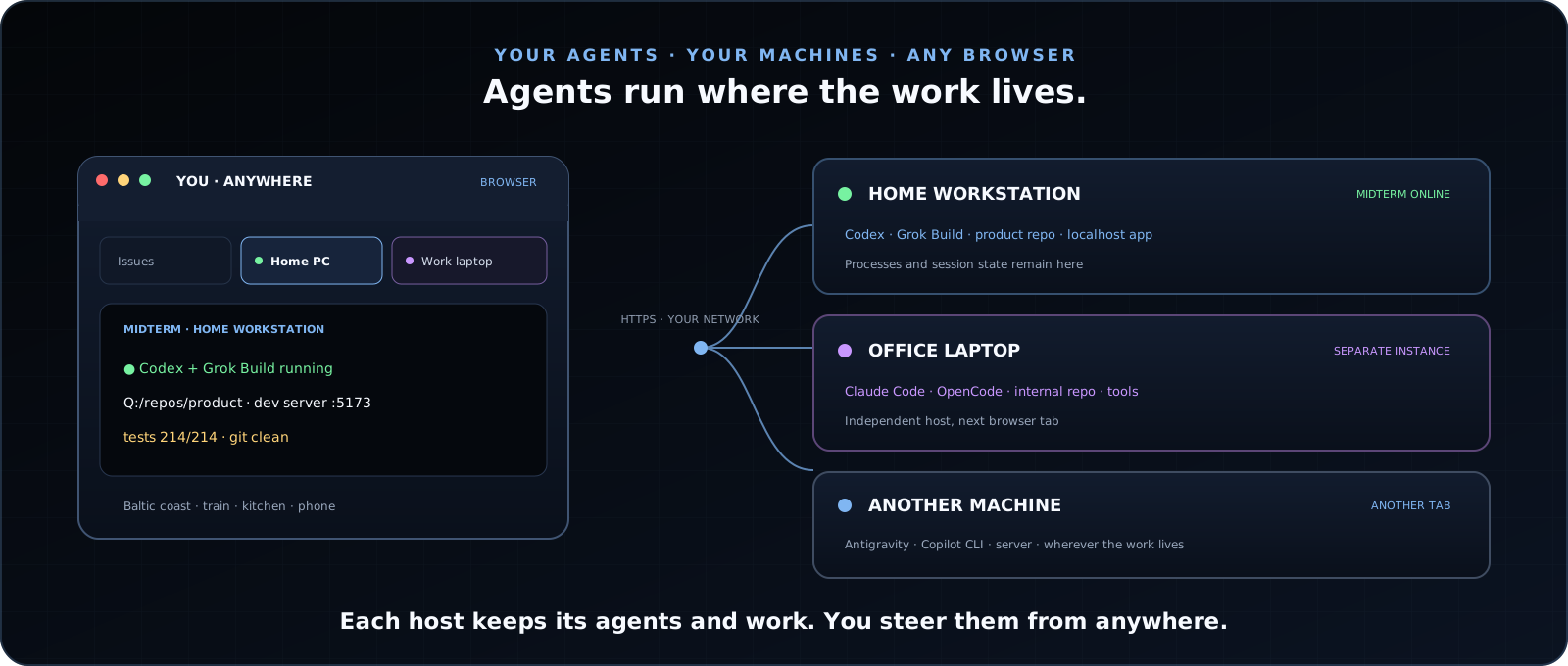
MidTerm is self-hosted on each machine you want to operate. It exposes real terminal sessions and explicit workspace services over authenticated HTTPS and WebSockets.
DATA PATH / 02
The browser does not host the process. The web server does not emulate a shell. The PTY host owns execution and continues when every client disconnects.
Renders terminals, files, Git state, browser previews, history, and controls. Several clients can reconnect to the same host.
mt web serverOwns authentication, durable session metadata, browser state, workspace APIs, event streams, and WebSocket multiplexing.
mthost PTY runtimeRuns real shells and terminal-native agents against the host’s repos, credentials, tools, hardware, and network.
SYSTEM BOUNDARY / 03
The design is intentionally local-first. MidTerm has no repository-hosting cloud and no mandatory relay.
| Host | One independent MidTerm instance exposes one machine. Multiple machines remain separate installations and separate trust domains. |
|---|---|
| Execution | Real PTYs use that host’s operating system, repositories, credentials, command-line tools, hardware, and network access. |
| Client | Any authorized modern browser. The client can disconnect or change devices without owning the lifetime of the process. |
| Context | Working directory, scrollback, files, Git state, notes, drafts, input history, logs, and preview state remain associated with the host session. |
| Providers | Terminal agents contact their providers according to each CLI’s configuration. Optional structured or voice runtimes are separate provider-backed services. |
| Source | .NET 10 Native AOT backend, TypeScript frontend, xterm.js terminal rendering. MidTerm is available under GNU AGPL v3. |
REMOTE ACCESS / 04
MidTerm supplies the authenticated application surface. You decide how a browser reaches the host.
Put the host and your client devices in one private tailnet, then open MidTerm through the machine’s private address. Restrict access with grants or ACLs.
Keep MidTerm’s built-in authentication enabled even on a private network. Browser sessions use a sliding lifetime and protected HTTP and WebSocket routes share the same security boundary.
Cloudflare Tunnel, Caddy, nginx, an existing VPN, and private LAN access are valid when configured deliberately. MidTerm does not require one vendor or hosted broker.
The service can control a real shell. Use a dedicated account where appropriate, keep MidTerm and the network layer updated, and expose only the machines and identities that need access.
AUTOMATION / 05
MidTerm’s automation surface is typed and agent-visible. The system transports exact inputs and published state; it does not infer meaning from terminal text.
mt helpersPowerShell and Bash helpers address the current host with authenticated calls for sessions, input, browser control, files, repositories, history, events, and agent-published work state.
Exact session IDs, bounded scrollback, deterministic dispatch, ordered events, and explicit capabilities allow an agent to operate the workspace without scraping its own terminal.
Normal sessions stay normal PTYs. Provider-backed structured sessions are explicit and isolated; MidTerm never promotes a terminal merely because it happens to run an AI CLI.